
Discount buttons
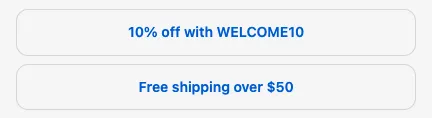
Discount buttons let customers apply a discount code with one click. Use them to promote a current offer, or to let customers choose between a few offers.
Requires: Shopify Plus. Available on the Free plan.
Settings
Section titled “Settings”| Setting | What it does |
|---|---|
| Subheading | Optional heading above the buttons |
| Body text | Optional text. Supports dynamic text, links, and bold. |
| Label | The text on each button |
| Discount code | The code the button applies. Create the code in Shopify admin (or as a Checkout Buddy discount code function) first. |
Click Add field to add more buttons, and Remove button to delete one.
Button style follows Call to action appearance in the Checkout Editor settings.
Things to know
Section titled “Things to know”- The block doesn’t show a message. When the code works, Shopify’s discount area shows it applied. When it doesn’t (expired, not eligible, or a typo), nothing happens. Test each button.
- Codes follow Shopify’s normal rules, including which discounts combine. A customer applying a second code may replace the first.
- Button labels and codes can be translated in translations, so you can use a different code per language.
- To apply a code without the customer clicking anything, use Apply discount code.