
Analytics
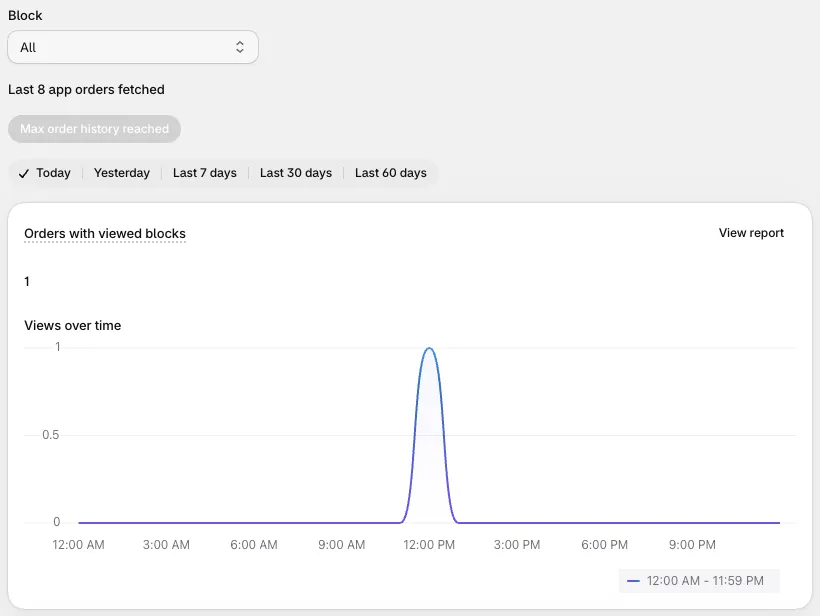
Analytics shows how your blocks perform in completed orders.
Requires: Shopify Plus and the Business plan. Open it from Analytics in the app’s navigation.
What’s measured
Section titled “What’s measured”Pick a block, or All, and a date range. The page shows three numbers:
| Card | What it counts |
|---|---|
| Orders with viewed blocks | Completed orders where the customer saw the block |
| Orders with accepted blocks | Completed orders where the customer added a product from the block, such as a cross sell, checkbox offer, or line item upsell |
| App Sales | The value of the products added through blocks, before discounts, in your store’s currency. It doesn’t include the rest of the order. |
Click View report on a card to see the order-by-order list, with links to each order in Shopify.
For cross sells with A/B testing, charts show the A and B product sets separately.
How tracking works
Section titled “How tracking works”When a customer sees a block, Checkout Buddy adds an attribute to the checkout called __buddy_data. When they add a product from a block, that item gets a hidden _buddy_data property. Analytics reads these from your orders. The underscore at the start hides them from customers in Shopify’s order confirmation. See data and privacy.
Things to know
Section titled “Things to know”- Only completed orders count. Abandoned checkouts aren’t included, so these aren’t conversion rates.
- About 60 days of history. Analytics reads orders directly from Shopify, which gives apps access to roughly the last 60 days of orders. Checkout Buddy doesn’t store your orders.
- Analytics loads orders 250 at a time. Click Fetch more orders to go further back.
- One block gets credit per order. If a customer accepts offers from two blocks, the first is credited.
- These don’t appear in analytics:
- Blocks shown through Multiple block IDs
- Blocks in an app block with Disable custom attributes turned on
- Blocks on the thank you and order status pages
- Blocks without an offer, such as banners and form fields, can be viewed but never accepted.